> ## Documentation Index
> Fetch the complete documentation index at: https://docs.finsei.com/llms.txt
> Use this file to discover all available pages before exploring further.
# JWT token without 2FA
The following functionality can help you avoid an additional step when using the Finsei API - the **sign** API method.
> ⚠️ **Important!:**\
> **JWT token creation is only available for [sub-users](/getting-started/create-sub-user).**
To generate a JWT token without 2FA, follow the steps below and set the **"Enable 2FA"** parameter to `false`.
**Steps:**
1. Go to **Account > Settings**
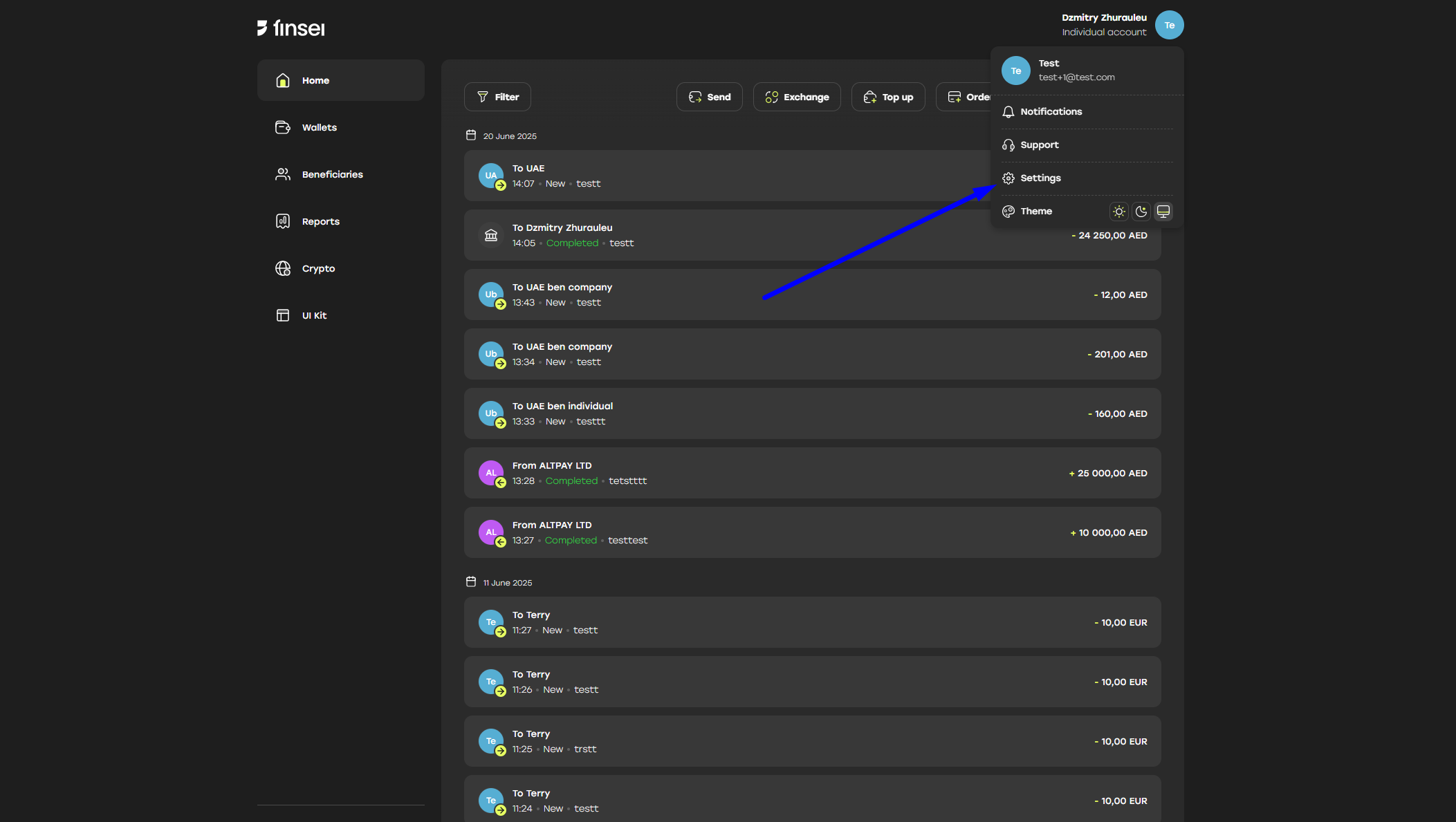 2. Go to **Security** tab
3. Click **"Create token pair"** under **"JSON Web Token"** section
2. Go to **Security** tab
3. Click **"Create token pair"** under **"JSON Web Token"** section
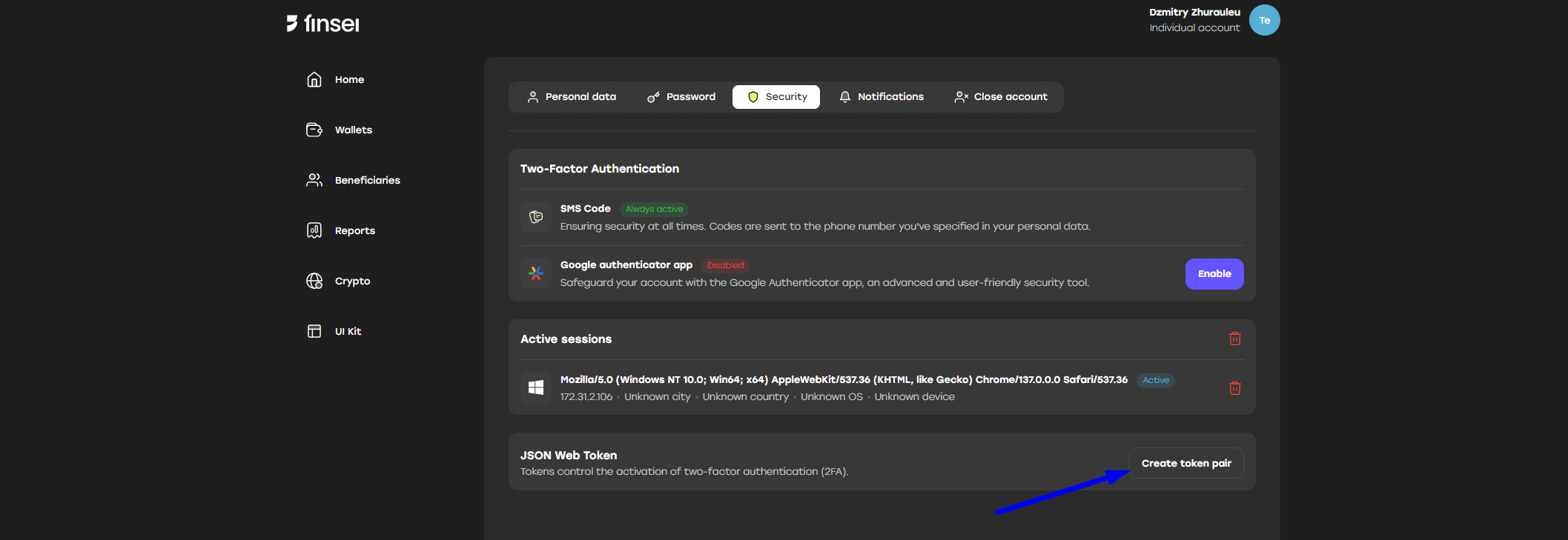 4. Fill in all required fields:
* **IP address** – address allowed for login
* **Expire date** – date when the token will expire
* **Session name** – name for the generated token pair
* **Enable 2FA** – whether 2FA is enabled or not
4. Fill in all required fields:
* **IP address** – address allowed for login
* **Expire date** – date when the token will expire
* **Session name** – name for the generated token pair
* **Enable 2FA** – whether 2FA is enabled or not
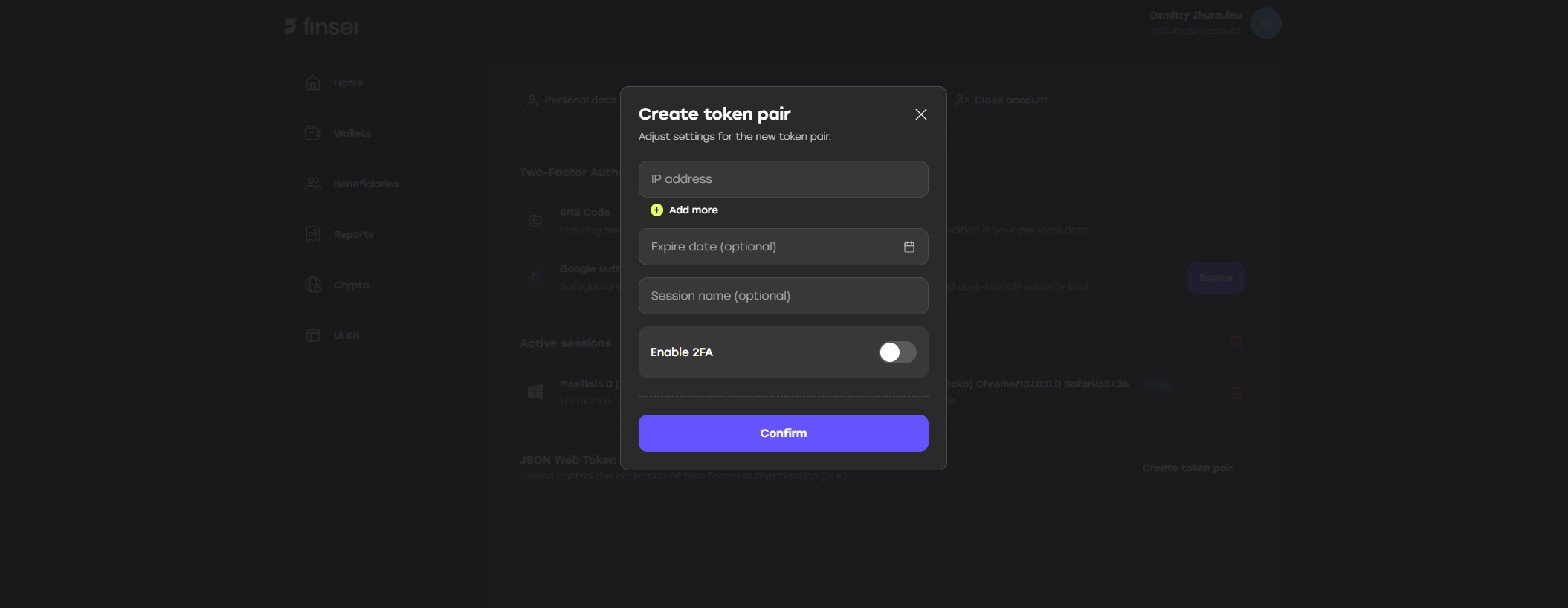 5. Click the **"Confirm"** button
6. Enter the **2FA code**
7. Save the generated **access** and **refresh** tokens
5. Click the **"Confirm"** button
6. Enter the **2FA code**
7. Save the generated **access** and **refresh** tokens
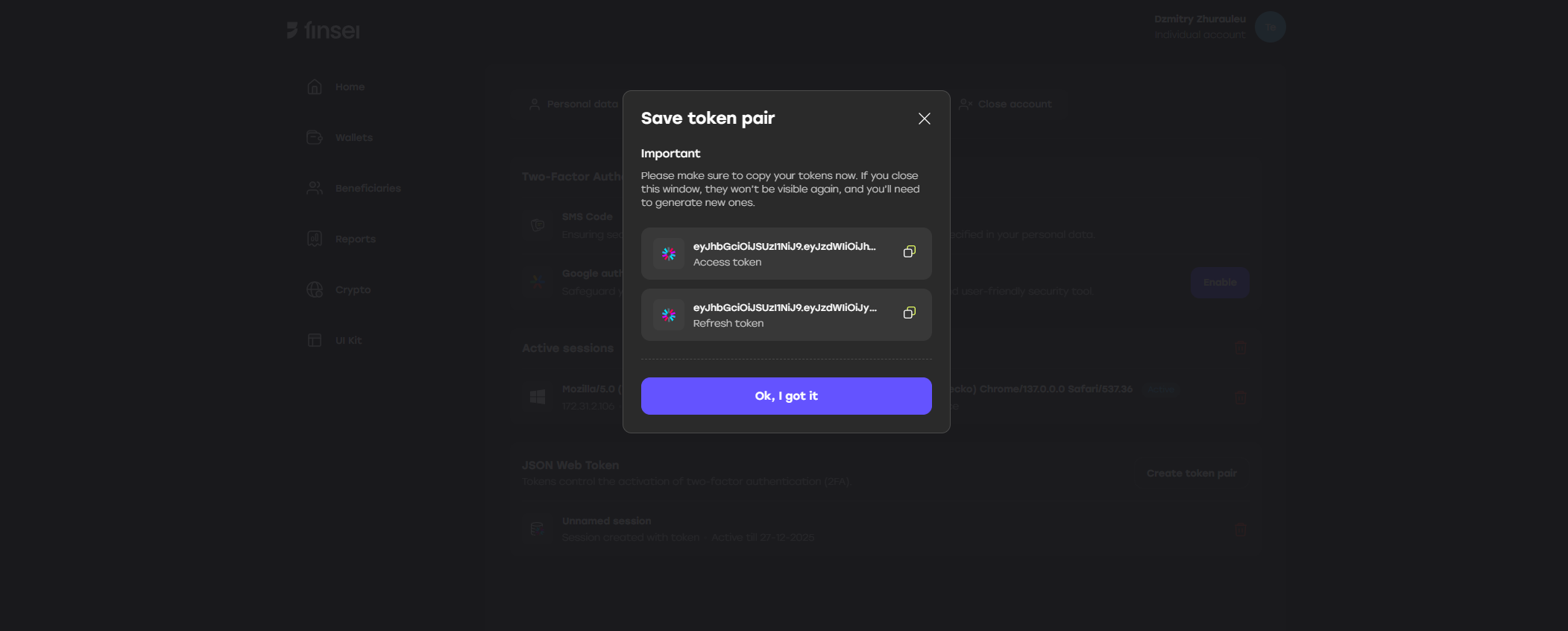 The tokens can be used to log in via API and to refresh the access token.
❗ **Please note:**
* If you don’t specify IP addresses, the tokens will expire in **3 months** - means no matter how many times you refresh your token during this time, in 3 mounth you won't be able to log in and to refresh your tokens
* The **access token** is valid for **10 minutes** and should be refreshed using
[`PUT /v3/auth/token`](/api-reference/endpoint/put-v3-auth-token)
with the refresh token obtained in step 7. A new pair of access and refresh tokens will be received in method response.
* The **refresh token** is valid for 90 days from the moment of its refresh or use
The tokens can be used to log in via API and to refresh the access token.
❗ **Please note:**
* If you don’t specify IP addresses, the tokens will expire in **3 months** - means no matter how many times you refresh your token during this time, in 3 mounth you won't be able to log in and to refresh your tokens
* The **access token** is valid for **10 minutes** and should be refreshed using
[`PUT /v3/auth/token`](/api-reference/endpoint/put-v3-auth-token)
with the refresh token obtained in step 7. A new pair of access and refresh tokens will be received in method response.
* The **refresh token** is valid for 90 days from the moment of its refresh or use