

⚠️ Important!:To generate a JWT token without 2FA, follow the steps below and set the “Enable 2FA” parameter to
JWT token creation is only available for sub-users.
false.
Steps:
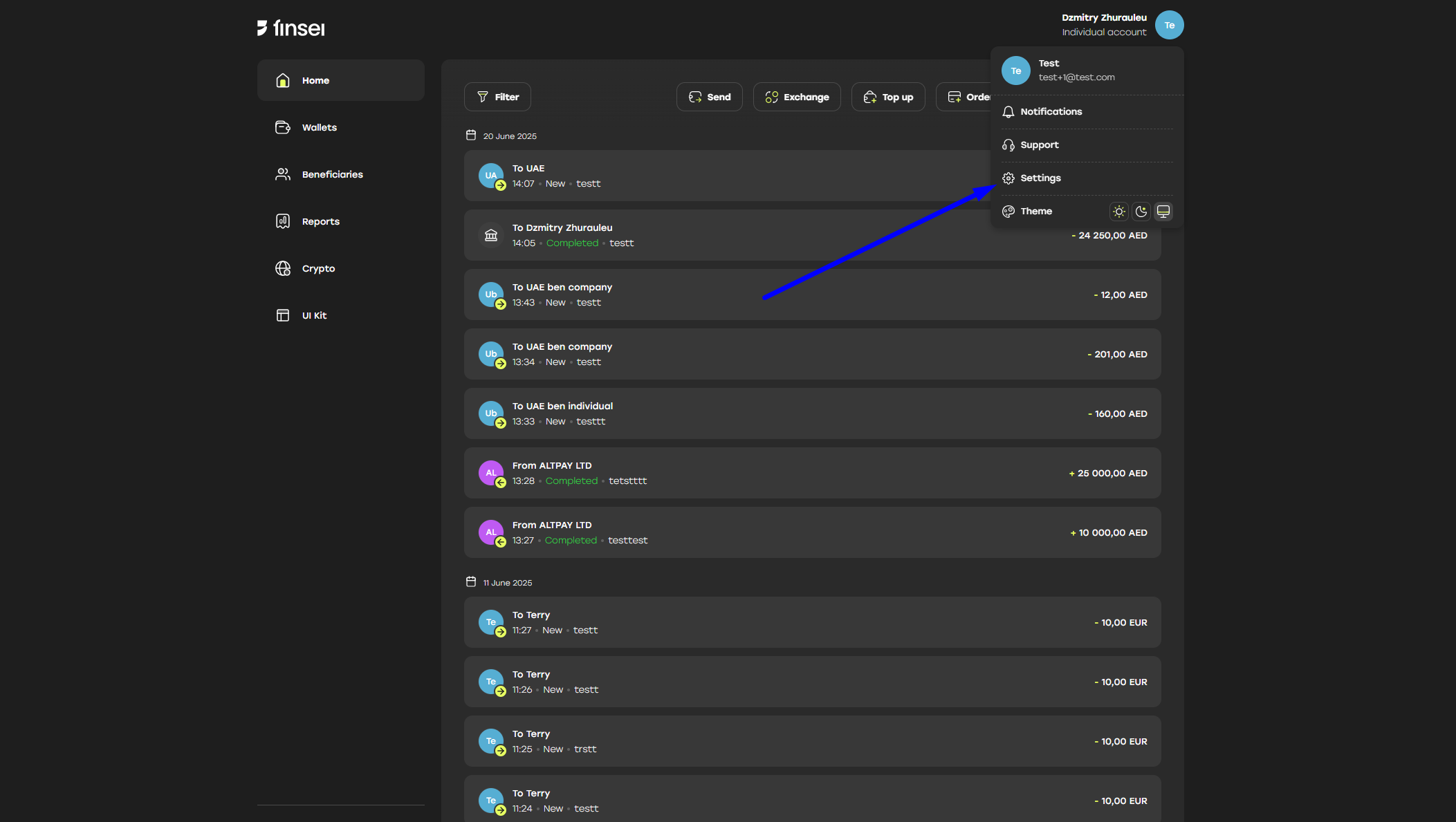
- Go to Account > Settings
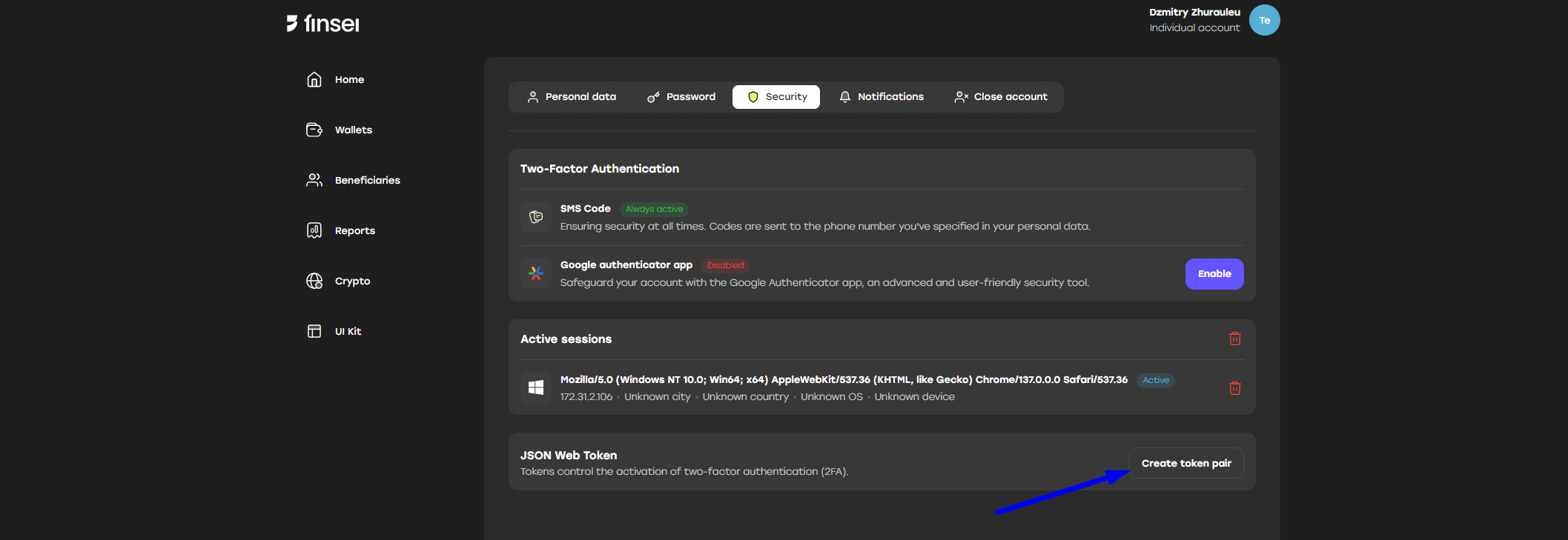
- Go to Security tab
- Click “Create token pair” under “JSON Web Token” section
- Fill in all required fields:
- IP address – address allowed for login
- Expire date – date when the token will expire
- Session name – name for the generated token pair
- Enable 2FA – whether 2FA is enabled or not
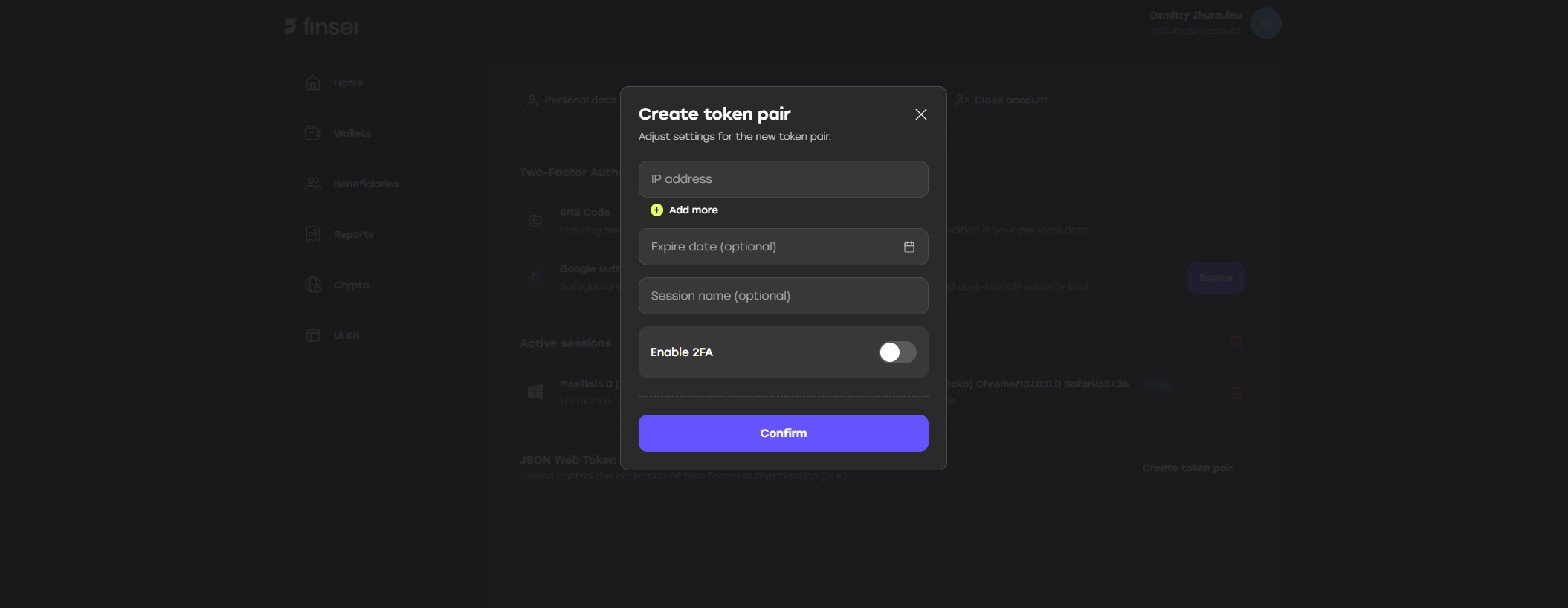
- Click the “Confirm” button
- Enter the 2FA code
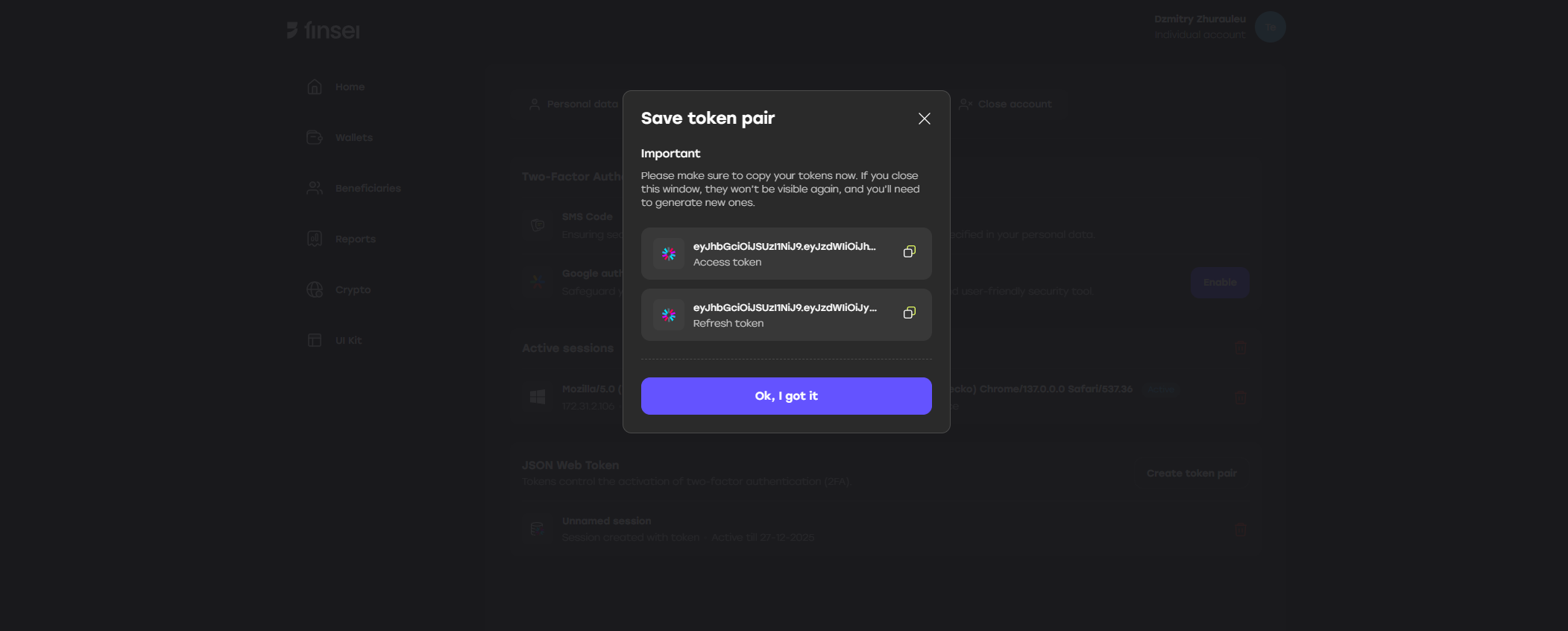
- Save the generated access and refresh tokens
- If you don’t specify IP addresses, the tokens will expire in 3 months - means no matter how many times you refresh your token during this time, in 3 mounth you won’t be able to log in and to refresh your tokens
- The access token is valid for 10 minutes and should be refreshed using
PUT /v3/auth/tokenwith the refresh token obtained in step 7. A new pair of access and refresh tokens will be received in method response. - The refresh token is valid for 90 days from the moment of its refresh or use